

WigSay consultation desk
Online Hairstyle Changer Planning Tool
Turn a haircut idea into options, boundaries, and salon questions before making a real-world change.
Style board
Save the cuts worth discussing
Filter by the way you live with your hair. Pick up to three looks, then compare the practical questions behind the pictures.

Textured pixie

Curly lob

Soft shag

Curtain layers
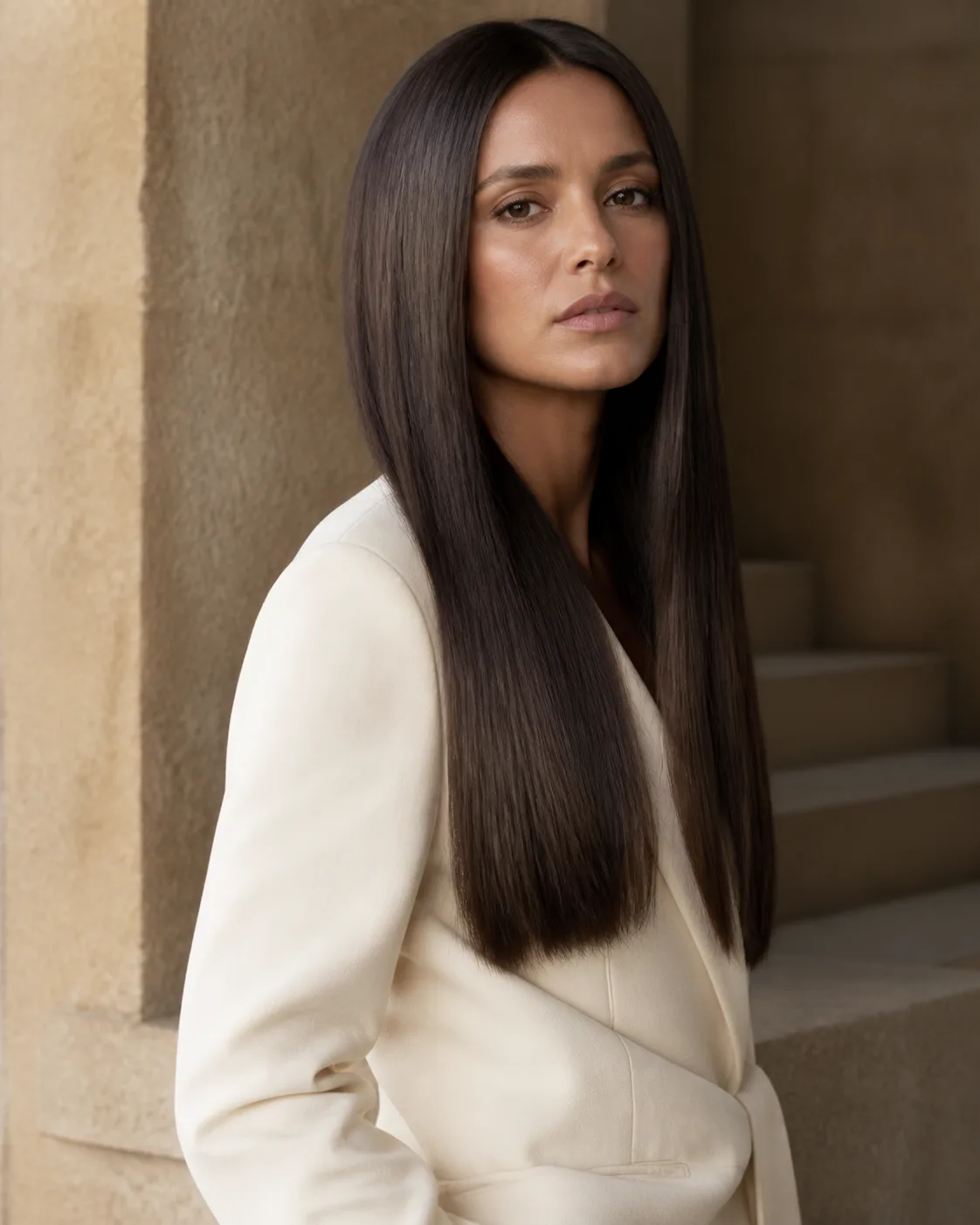
Sleek long
No looks match every filter. Loosen one choice and try again.
This online hairstyle changer is a visual decision board for people who want to compare a small set of haircut directions before a salon conversation. Filter six editorial looks by length, texture, upkeep, and mood, then save up to three. The comparison names the silhouette and a practical question for the stylist. It does not inspect a face, accept a photograph, create an account, or save a project.
Turn a hairstyle idea into a reviewable choice
Record the current dry length at the front, side, and back instead of using one broad label such as medium. These landmarks make later comparisons concrete.
Describe how the hair is normally worn. A reference built around a polished blowout is misleading when the everyday goal is an air-dried result. Use the Texture and Upkeep filters to remove looks that depend on a routine you do not want.
Describe the starting point before naming a cut
The useful controls for this task are length, texture, maintenance tolerance, and mood. They narrow the board; they do not calculate what will suit a face. Keep uncertainty visible rather than turning an aesthetic preference into a fact.
Keep the first comparison to three silhouettes. More options usually hide the exact decision that brought the visitor to the page.
Give every option a protected boundary, such as tie-back length or no eyebrow fringe, so the consultation cannot drift away from the original need.
Build a comparison that a stylist can challenge
Note whether volume should sit at the crown, cheek, jaw, or ends. Placement often communicates the desired change more clearly than a haircut name.
Ask which reference details come from cutting and which come from styling, color, extensions, pose, or camera angle.
Worked hairstyle consultation example
A person with shoulder-length wavy hair is considering a collarbone lob with curtain bangs. The result organizes a conservative version, a more textured version, and a fringe-free comparison, then lists upkeep and styling questions to confirm at the salon.
The example is a reviewable planning record. It deliberately stops before claiming that a visual result, salon technique, or personal outcome has been verified.
Read the result as a planning brief
Treat the saved board as a briefing aid. The useful outcome is a clearer comparison vocabulary and a smaller set of choices, not a photographic prediction of how hair will fall after cutting.
Review the proposed look from multiple viewpoints. A front-facing reference cannot show the nape, perimeter, profile, or how layers move.
Treat maintenance as a design input. Trim frequency, heat use, product, drying time, and morning skill can rule out an otherwise appealing concept.
Where a hairstyle preview can mislead
Face geometry, shrinkage, density, cowlicks, lighting, and stylist technique can change the real result. No image is uploaded or transformed in this release.
Copy the option that best fits the real routine, not the one with the most dramatic description.
Bring one fallback that preserves the main goal if density, damage, or growth patterns make the first choice impractical.
Questions about online hairstyle changer
Does this page edit my portrait?
No. It shows editorial reference photographs and builds a comparison from the looks you save. It does not upload, inspect, or alter a visitor photo.
Can it tell me which haircut is objectively best?
No. A good choice depends on preferences, texture, maintenance, styling habits, and professional assessment. Use the output to compare tradeoffs.
Why use this before a salon visit?
It helps turn broad language such as “shorter but not too short” into length, fringe, texture, and upkeep questions that are easier to discuss.
A practical handoff after the worksheet
Confirm the dry finish and shortest acceptable point before any cutting begins.
After the appointment, compare the outcome with the brief to learn which assumptions were accurate and which need better wording next time.
Review the decision record before leaving
Before taking the worksheet to an appointment, rewrite the aim in your own words: compare a small set of haircut directions before a salon conversation. Then separate the evidence you supplied—a written portrait description that notes current length, texture, part, and the change under consideration—from the preference you hope to explore. This prevents a stylist from treating a rough observation as a fixed requirement. Review candidate cut, length target, texture treatment, fringe choice, maintenance tolerance, and the decision the preview must support one at a time and mark each as required, preferred, flexible, or unknown. Finally, summarize the intended handoff as a three-option consultation brief that separates appearance goals from practical questions for a stylist. A second reader should be able to identify the desired change, the protected boundary, and the decision still needing professional judgment.
Check that the preferred direction can be described without relying on a marketing label. Keep only non-sensitive notes you deliberately choose to copy. If a consultation changes the plan, record the reason—texture, density, condition, growth pattern, technique, time, cost, comfort, or preference—so a later comparison begins with better evidence rather than another vague request.
WigSay currently provides a browser-local style board. No upload, remote fetching, facial recognition, account, payment, advertising tracker, or persistent project storage is enabled. Refreshing or closing the page clears the saved looks.
Use the board to prepare the conversation, then let a qualified stylist judge the hair in person.
Related pages
home
AI Hairstyle Changer for Realistic New Looks
Compare cuts, lengths, textures, and bangs as a private planning brief before changing your real hair.
Explore AI Hairstyle Changer for Realistic New Looks →